The best graphics programmes (paid & free)
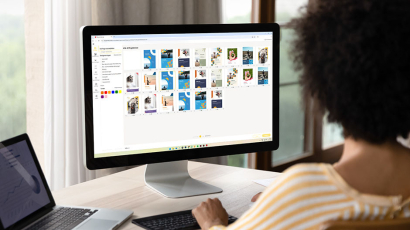
Which graphics programme is the best? Which one meets my exact needs? In the jungle of graphics programmes, it’s often not that easy the right programme for our own purposes can be found. To make your search easier, we have provided you with A few recommended graphics programmes Compiled. Discover free and paid Programmes that help you in your work as a graphic designer can help!
Image editing software
There’s a reason why they say: a picture is worth a thousand words! Consequently, images are indispensable in communication, the media, marketing and so on. To help with this, you’ll find four programmes here for successful image editing. Showcase your creative work in large format. Especially on high-quality Canvases Your images will look sophisticated and professional. Discover lots more Photo products, to bring your designs to life in physical form.
Adobe Photoshop
Compatible with Mac and Windows; subscription-based (various types of monthly and annual subscriptions)
The classic image editing programme: Adobe Photoshop. This paid programme has enjoyed popularity for many years and allows you to carry out extensive image editing. Thanks to its user-friendly interface, you can edit every aspect of your image, from simple colour corrections to complex retouching. What’s more, you can use Photoshop not only on your desktop but also on all other devices, such as tablets or smartphones.

Advantages | Disadvantages |
|
|
Affinity Photo
Suitable for Mac, Windows and iPad; one-off cost (different prices for desktop and iPad)
Affinity Photo It offers virtually all the features that users also value in Adobe Photoshop. Flawless retouching, live filter layers and full RAW processing are just a few examples of what’s possible with Affinity Photo. The self-explanatory user interface makes it particularly easy to use and thus simplifies the learning curve. The programme is also recommended for users who wish to switch from Photoshop to a more affordable alternative. This is because Affinity Photo makes it very easy to open and edit PSD and PSB files. The programme can be used on Windows, Mac and iPads.

Advantages | Disadvantages |
|
|
GIMP
Suitable for Windows, Mac & Linux, free of charge
GNU Image Manipulation Programme, or simply GIMP is a free, cross-platform image editing programme. GIMP offers a wide range of functions and settings, as well as various plug-ins to further expand the range of editing options. The user interface is also highly customisable: tools and toolbars can be added, removed and edited. This open-source programme is available for Windows, Mac and Linux operating systems.

Advantages | Disadvantages |
|
|
Pixlr X
Online image editing, with free or paid premium versions
Pixlr X is a free online programme that allows you to easily edit your images directly in your browser. As the editing functions are based on AI technology, each task is carried out with pinpoint accuracy at the click of a button. For example, cropping a person out of a photo or removing the background can be done with just a single mouse click. Furthermore, Pixlr X allows you to open and edit virtually all common file formats.

Advantages | Disadvantages |
|
|
Vector graphics software
As well as image editing software, programmes are also required that enable the creation and editing of vector graphics. Vector graphics are precisely scalable graphics, which are often used for logos, icons and infographics. The following programmes are therefore ideal for Sticker featuring the company logo or Advertising signs to be customised with individual graphics.
Adobe Illustrator
fSuitable for Mac, Windows and iPad, Subject to a fee (various types of monthly and annual subscriptions)
Adobe Illustrator is a very popular programme for creating logos, icons, packaging or web graphics. As the name suggests, it is also frequently used for illustrations and drawings. A graphics programme which, thanks to its highly precise scaling tools and powerful functions, offers plenty of scope and creativity for all kinds of graphic design. New features are constantly being added as a result of Adobe’s ongoing development.

Advantages | Disadvantages |
|
|
CorelDraw Graphics Suite
Suitable for Mac & Windows, Subject to a fee (various types of monthly and annual subscriptions)
The graphics programme used is CorelDraw Graphics Suite Its focus is on vector graphics, layout design and image editing. The programme comes with many powerful features and, above all, enables design teams to work together more efficiently via cloud-based access. A particular highlight of CorelDraw is the range of guides, videos and tutorials that are provided as an additional resource. These make it easier to get started and also help users to learn all the programme’s features as they progress.

Advantages | Disadvantages |
|
|
Gravit Designer
Available online and offline on Mac, Windows and Linux; free version or paid PRO version
Gravit Designer summarises the basic functions of any graphics programme and makes them easy to use, particularly for beginners. But the programme also impresses with its professional tools. Its flexibility is a particular highlight. Gravit Designer is not only available for Mac, Windows and Linux, but also works online via a browser. Files can be stored in the cloud and then edited further from any device.

Advantages | Disadvantages |
|
|
Inkscape
For Mac, Windows & Linux, free of charge
Inkscape is a free, open-source programme that enables professional editing of vector graphics. The programme stands out thanks to its intuitive user interface, as well as its built-in guides and tutorials. This content enables beginners in particular to quickly learn all the functions. In addition to its flexible drawing tools and versatile object editing, Inkscape supports virtually all file formats.

Advantages | Disadvantages |
|
|