5 AI tools to help you create print files

Nowadays, printed materials play an important role in communication and advertising. Whether it’s Business cards, Flyer, Brochures or Posters – they serve as effective marketing tools for conveying information about your business, your products or your event.
To make it easier for you to create printed materials, we’ve put together a list of five artificial intelligence (AI) tools. These can speed up your workflows and boost efficiency. They offer features such as automatic layout creation, image editing, text recognition, templates and colour matching. This means you can now create attractive and professional printed materials straight away, even without any prior design experience.
1 | Adobe Express
Adobe Express is a powerful, paid tool for image editing and layout design. From changing fonts to different styles or textures, through to creating templates, adding, removing or replacing parts of images, and generating images via text input – it offers a wide range of functions.
What’s more, Adobe Express makes it easy to collaborate and share files with other team members or clients. Thanks to its user-friendly interface and intuitive operation, you can create impressive printed materials with just a few words in the text field.
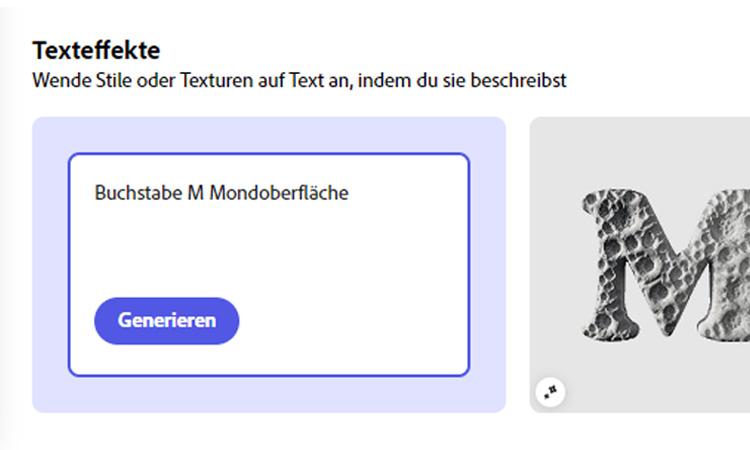
Turn your text into an eye-catcher.
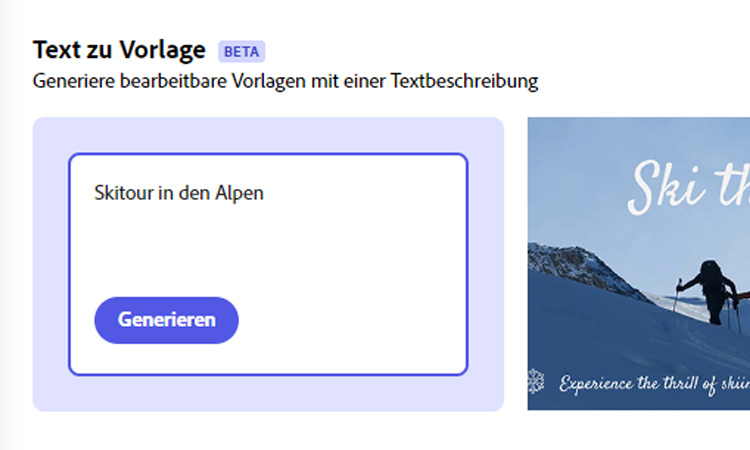
Create your own templates with ease.
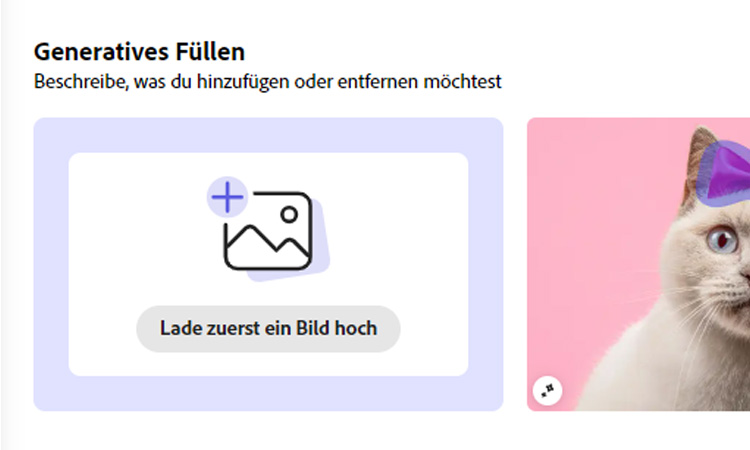
Upload the image, select an area and tell the AI what to add.
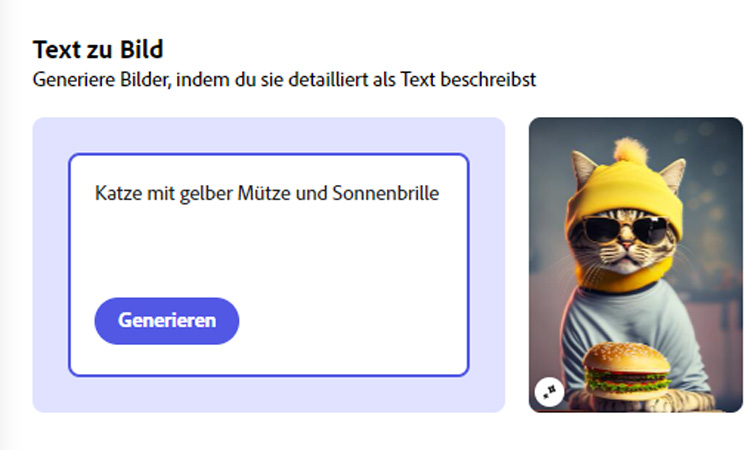
Generate images simply by describing them in text form.
2 | Canva
To help you easily combine design elements into a complete look, we recommend that you Canva. This is a user-friendly tool offering a wide range of design templates and elements. Is the arrow off-centre? No problem! With the drag-and-drop editor, you can easily add, move and adjust elements. Much like Adobe Express, its AI image generator and AI photo editor allow you to design layouts simply by typing on your keyboard what you’d like to see in the image. So what’s the difference compared to Adobe Express? Canva is free!
If you work in a team, it also allows you to share your designs with other team members or clients, who can then provide feedback via the comments function. This facilitates excellent collaboration and, what’s more, seamless integration with other tools and platforms, such as sharing on social media.

3 | ChatGPT
Now we come to text generation. Who hasn’t heard of this tool yet? It’s on everyone’s lips – ChatGPT. By following simple instructions in the input field, you can interact with a virtual assistant that writes compelling copy for your printed materials. What’s more, when you’re stuck for ideas, this free tool is happy to suggest creative ways for you to promote your event.
With ChatGPT, you can create various text styles and formats to capture your readers’ attention. You can also specify your writing style – for example, using the informal ‘you’ form – and before long your customers won’t be able to tell the difference. So now you know exactly which website to visit when you’re looking for a slogan for your new brand or an eye-catching headline with text for your party invitation.

Try it out now
Design yours now customised flyers and try out all the different options. Choose them by flyer type, paper choice or printing method. From Flyers at the best price up to flyers with special finishes and eco-friendly flyers You’ll find everything here.
4 | Midjourney
Midjourney is a paid AI tool that can help you create marketing materials. It generates images based on the instructions you give to the Midjourney bot via the Discord platform. To do this, you first need to enter the command “/imagine” to formulate your prompt. Not sure what a prompt is? Don’t worry! A prompt is a kind of instruction used to get a computer or an AI platform to generate a specific text or perform a particular task. Once you’ve entered your prompt, Midjourney provides you with four images, which you can then have further developed according to your preferences.
This allows you to create professional printed materials that effectively convey the desired image and message of your project.

5 | Colormind
Are you currently adding colour to your print design but aren’t quite sure which colours go well together? Colormind is a free colour-generation tool that can help you find appealing colour schemes. It offers various colour combinations and allows you to customise the colour palette to suit your individual needs. You can either find inspiration by repeatedly regenerating colour schemes or extract colours from images to create a suitable colour palette.
To help you visualise the colour selection more clearly, the tool features a website preview that updates with every newly generated colour combination. This makes it easy for you to find the right harmony in your design elements.

Get started and design
What use is great data without the perfect canvas? Our diverse range of promotional print products provides the ideal basis for putting your new knowledge to use. Choose the right product for you and try out our five recommended AI tools!